
The USDA Farmers Market Directory is a free database maintained by the USDA Agricultural Marketing Service that lists over 7,842 farmers markets across all 50 states. You can search it by location to find markets near you, then check each listing for hours, address, and accepted payment methods like SNAP/EBT. Just know the data is self-reported by market managers and can run outdated. Stick around and you’ll find out exactly what to watch for.
Key Takeaways
- The USDA Farmers Market Directory is a nationwide database of over 7,842 farmers markets, maintained by the Agricultural Marketing Service (AMS).
- Each listing includes the market’s name, address, operating hours, seasonal dates, accepted payment methods, and contact links.
- Market managers self-report and update their own listings, meaning accuracy varies and outdated entries may remain active.
- Use the directory as a starting point, then verify hours and details directly with the market before visiting.
- The full dataset is downloadable as a CSV file, allowing users to sort, filter, and analyze listings offline.
What Is the USDA Farmers Market Directory and How Do You Use It?
If you’ve ever tried to find a farmers market near you, the USDA Farmers Market Directory is the most complete starting point available in the US.
It’s maintained by the USDA Agricultural Marketing Service, and it currently lists over 7,842 markets across all 50 states.
The data is self-reported by market managers, so the coverage is broad but the accuracy depends entirely on whether each market has kept its listing current.
Where the USDA Directory Comes From and Who Maintains It
The USDA Farmers Market Directory is maintained by the Agricultural Marketing Service, a branch of the U.S. Department of Agriculture. The AMS supports domestic food markets and connects farmers with buyers. Think of them as the infrastructure team behind local food systems.
Market managers self-report their own data. That means you’re trusting individual people to keep their listings current.
| What the AMS does | What market managers do |
|---|---|
| Hosts the directory platform | Submit their own market info |
| Sets data fields and structure | Update hours and season dates |
| Makes data publicly available | Report accepted payment methods |
| Supports local food programs | Add website and contact links |
You’re part of a community that depends on that data being accurate.
How Many Markets Are Listed and Which States Are Covered
According to the USDA, the directory currently lists over 7,842 farmers markets across the United States. That number covers all 50 states plus Washington D.C. and some U.S. territories. So no matter where you’re selling, your region is represented in the USDA farmers market database.
That said, coverage isn’t equal. Some states have hundreds of listings. Others have far fewer. Rural areas tend to have thinner representation than urban ones.
You might also notice markets in your area that aren’t listed at all. That happens because participation is voluntary. Market managers have to submit their own information. If no one submits it, the market doesn’t appear.
What Information Does the USDA Farmers Market Database Include?

Each USDA listing gives you a real snapshot of a market: name, address, operating hours, days of the week, season dates, and accepted payment methods like SNAP/EBT.
You also get website URLs and social media links when market managers have submitted them.
What you won’t find is anything about specific vendors, what products they sell, or whether a listing is still current.
Hours, Seasons, Locations, and Payment Methods in Each Listing
Pulling up a listing in the USDA farmers market directory, you’ll find it covers more ground than just a name and address. Each listing includes operating hours, seasonal dates, and the full street address. You’ll also see accepted payment methods, which matters a lot if you’re planning to accept SNAP/EBT at your booth.
The USDA farmers market finder breaks down seasons clearly. Some markets run year-round. Others operate only spring through fall. That detail saves you from showing up to an empty parking lot.
Payment method data is particularly useful for vendors. Knowing whether a market accepts SNAP/EBT before you apply tells you something about the customer base you’d be selling to. That’s information worth having early.
What the Data Does Not Tell You
The USDA directory tells you a market exists. It won’t tell you who sells there. You won’t find a list of vendors, product categories, or whether anyone at that market sells microgreens. That information isn’t collected.
The USDA farmers market directory also can’t confirm a market is still running well. A listing stays up even after a market closes. Hours get stale. Contact details go cold.
And there’s nothing about community feel. Whether a market is well-attended, whether vendors are welcoming to newcomers, whether it’s worth the drive — none of that shows up in the data.
You’re getting a starting point. Not a full picture.
How Accurate Is the USDA Farmers Market Directory?
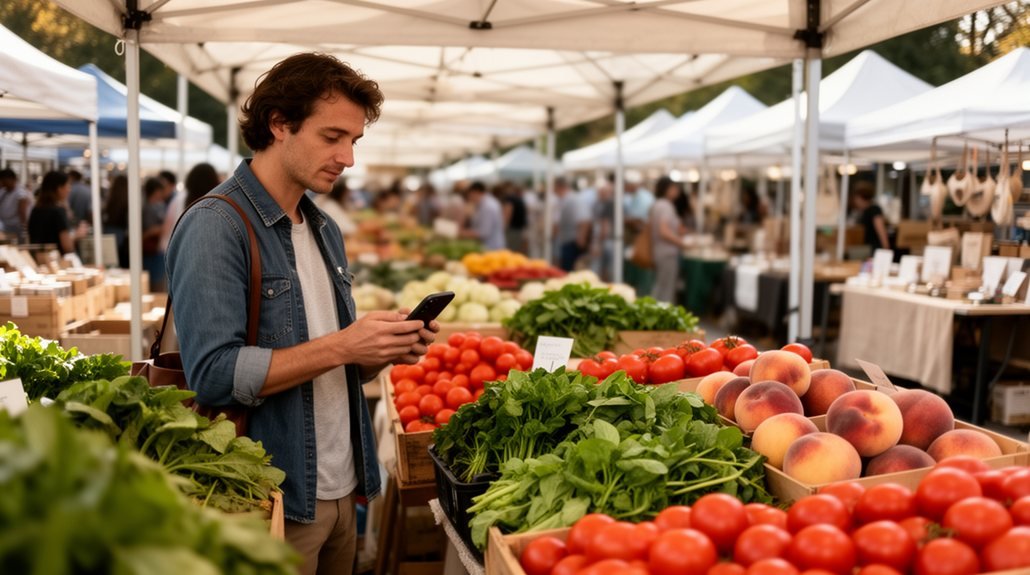
The USDA farmers market directory is useful, but it’s not perfectly reliable. Market managers self-report their own data and update it manually, which means listings can fall behind fast.
You might find a market that closed two years ago still showing up as active.
Why Some Listings Are Outdated or Incorrect
Because the USDA directory is self-reported, its accuracy depends entirely on market managers keeping their own listings current. That doesn’t always happen. A market closes, but nobody updates the USDA Local Food Portal. Hours change for the season, but the old schedule stays live. A new market coordinator takes over and forgets the login exists.
You aren’t doing anything wrong when you show up and the market isn’t there. The data just aged out.
This is a known limitation, not a hidden flaw. The USDA built a wide-reaching tool on a voluntary update system. That trade-off keeps the directory accessible to thousands of markets. It also means some listings are months or years behind reality.
How Often the Database Gets Updated
Nobody at the USDA is reviewing every listing on a set schedule. The USDA farmers market directory runs on self-reporting. That means market managers submit their own information and update it when they feel like it. Some do it every season. Others haven’t touched their listing in years.
There’s no automatic refresh. No system that flags a listing as stale. If a market closes and the manager doesn’t log in to remove it, it stays up. Indefinitely.
You’re not dealing with a live database here. Think of it more like a community bulletin board where some people are diligent and some just aren’t. That’s not a criticism. It’s just how volunteer-dependent data works. Know that going in.
How Do You Search the USDA Farmers Market Directory?

The USDA Local Food Portal gives you two main ways to work with its farmers market data: search the live directory online or download the full dataset as a CSV file.
On the portal itself, you can search by city, state, or zip code and filter results by things like accepted payment methods, including SNAP/EBT. The CSV file is a spreadsheet download that contains every field in the database — market name, address, hours, season dates, and contact links — which is useful if you intend to sort or analyze the data yourself.
Searching by Location and Filtering Results on the Portal
At usdalocalfoodportal.com, searching for a farmers market is straightforward. You type in your city, state, or zip code and the USDA farmers market directory pulls up nearby results. No account needed. No hoops to jump through.
Once your results load, you can filter by day of the week, season, and accepted payment methods. That last filter matters if you accept SNAP/EBT, because you can narrow results to markets that already run those programs.
Each listing shows the market name, address, schedule, and sometimes a website or phone number. The detail level varies because managers self-report everything.
It works well as a starting point. Just know some listings are outdated, so always verify hours and contact info directly before showing up.
Downloading the Data: What the CSV File Contains
If you want raw access to the USDA farmers market data, there’s a CSV download option on the portal. A CSV is a spreadsheet file you can open in Excel or Google Sheets. It gives you the full USDA farmers market list by state, all in one place.
The file includes market names, addresses, hours, season dates, accepted payment types, and contact details. Every row is one market.
This is useful if you’re doing deeper research, like comparing markets across a region or building your own vendor strategy. You can sort and filter however you require.
Fair warning: the data is self-reported and not always current. Some entries are outdated. Treat it as a starting point, not a final answer.
How Does the MGW Market Finder Compare to the USDA Directory?

The USDA directory gives you a wide view of markets across the country, but it’s built for general use — not for vendors trying to figure out where to sell.
The MGW Farmers Market Finder at markets.microgreensworld.com pulls from that same USDA data and adds filtering that actually matters to sellers, like the ability to search by zip code and screen for markets that accept SNAP/EBT payments.
If you’re a microgreens grower scoping out markets in your area, that vendor-specific layer saves you from sorting through hundreds of listings that were never relevant to begin with.
What the MGW Tool Adds for Vendors Specifically
Looking up markets on the USDA portal works fine if you just want a list. But as a vendor, you need more than that.
The MGW Farmers Market Finder pulls farmers market USDA data and filters it for people actually selling at markets. You can search by zip code, city, or state. You can filter by SNAP/EBT acceptance, which matters if you want markets that attract a broader customer base.
The USDA portal doesn’t let you filter that way. You’re clicking through listings one by one.
The MGW tool saves you that time. It’s built for vendors doing research, not casual browsers looking for weekend plans.
Start your search at [markets.microgreensworld.com](http://markets.microgreensworld.com).
Why Vendor-Focused Filtering Changes the Search Experience
Searching for markets one by one adds up fast. The USDA directory is thorough, but it’s built for consumers. You’re not a consumer. You’re a vendor trying to figure out where to sell.
That’s where the farmers market database by zip code at markets.microgreensworld.com works differently. You search by your location. You filter by SNAP/EBT acceptance. You see results built around your needs as a seller, not a shopper.
The difference sounds small. It isn’t. When you’re deciding which markets to apply to, you need to compare options quickly. Clicking through individual listings wastes time you don’t have.
The MGW tool puts you in a community of growers asking the same questions. That matters. You’re not searching alone.
What Should You Do If a USDA Listing Looks Wrong?

You’ll run into a wrong listing eventually. When that happens, you can report it directly through the USDA Local Food Portal so the record gets corrected for everyone searching after you.
Before you make any trip, cross-check the market’s hours against its own website or social media page since those are updated far more often than the USDA database.
How to Report an Incorrect or Outdated Listing
If a USDA farmers market listing looks wrong, you can report it directly through the USDA Local Food Portal at usdalocalfoodportal.com. Find the market in question and look for the “suggest an edit” or contact option on the listing page. You’ll submit the correction there.
The USDA farmers market directory relies on market managers to keep their own information current. That means errors slip through. If you spot one, reporting it helps everyone in the community who searches that listing later.
One thing to know: corrections aren’t instant. Updates go through a manual review process, so there’s a delay between your submission and any change going live. Check back after a few weeks to see if the listing reflects your report.
How to Verify a Market’s Current Hours Before You Go
Don’t take a USDA listing at face value before you drive out to a market. The usda farmers market directory is self-reported, meaning market managers update it themselves. That doesn’t always happen on time.
Before you go, call the number listed. If there’s no answer, check the market’s Facebook page or Instagram. Most active markets post weekly updates there.
No social media? Search the market name plus your city in Google. A quick search usually surfaces a website or a community post with current hours.
The listing gives you a starting point. Treat it like a lead, not a guarantee. Confirm directly with the source before loading up your car and heading out.
Frequently Asked Questions
Can Vendors Add or Update Their Own Listing in the USDA Directory?
You can’t update your own listing directly. The market manager handles all additions and edits through the USDA’s self-reporting system, so connect with your market manager if your information needs correcting.
Does the USDA Directory Include Indoor or Year-Round Markets?
Yes, it does. You’ll find indoor and year-round markets listed alongside seasonal ones. Filter by season dates to spot markets that run outside the traditional summer window and fit your selling schedule.
Are All Usda-Listed Markets Open to New Vendors?
No, not all USDA-listed markets are open to new vendors. Each market sets its own vendor policies. You’ll need to contact the market manager directly to find out if there’s space for you.
Does the USDA Directory Show Which Markets Charge Vendor Fees?
No, the USDA directory doesn’t list vendor fees. You’ll need to contact each market directly to ask about costs, application requirements, and what’s available for your product category.
How Often Does the USDA Update Its Farmers Market Database?
The USDA doesn’t update it for you — market managers update their own listings manually, whenever they get around to it. That’s why you’ll find closed markets, wrong hours, and outdated contacts still showing up.
Wrap-up
The USDA directory is a solid starting point. It shows you what markets exist, where they are, and what amenities they offer. But it’s not a live feed. It’s a snapshot that may be months or years old. Employ it to build your list. Then verify before you show up. And if you want a sharper tool built specifically for growers like you, the MGW Market Finder picks up where the USDA leaves off.